How to track your time right on your calendar
Plan your day on a calendar, then see what really happened. Start a timer, and a live event grows on your calendar until you stop. Here is how it works.
 2 min read
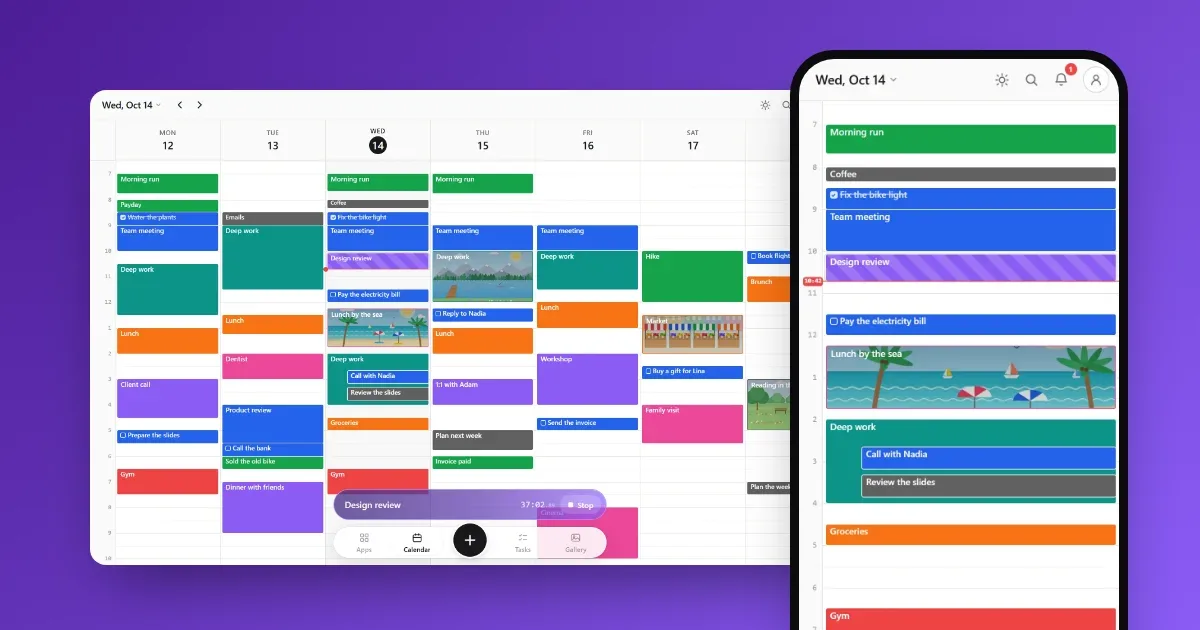
Most of us plan our day on a calendar, then live a different one. Time tracking apps can show the real day, but they keep it in a separate list, far from the plan.
Calengaroo puts both in one place: the timer writes straight onto your calendar.
How it works
- Type what you are doing. For example “Design review” or “Take out the trash”.
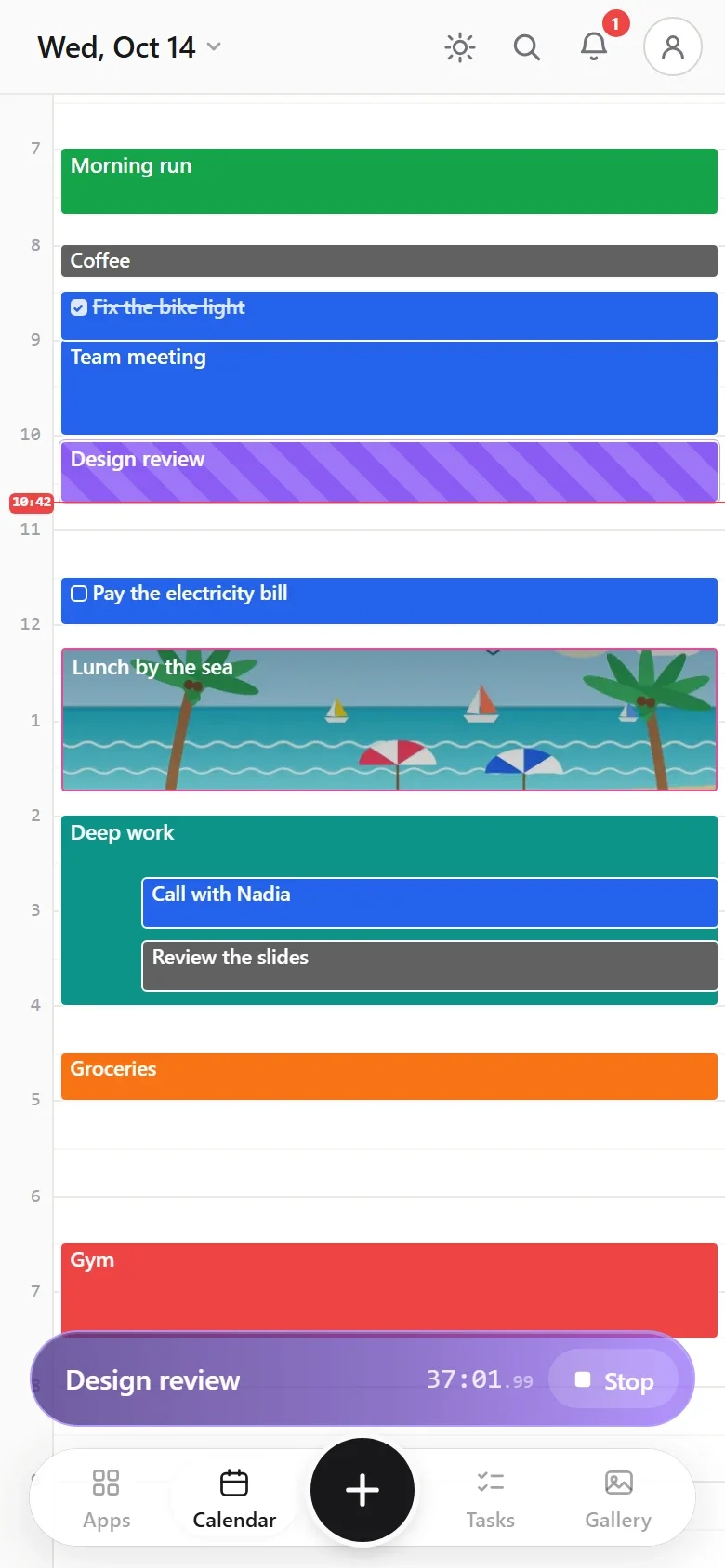
- Press start. A live event appears on your calendar, with moving stripes, and grows while you work.
- Press stop. The event stays on your calendar as a normal event, with the real start and end.
Why track time on the calendar itself
- You see the plan and the real day together. Planned events and tracked ones sit on the same day.
- Nothing to copy later. The tracked event is already where it belongs.
- It is a normal event. Drag it, change its length, add notes, photos or what it cost.
Tip
Forgot to start the timer? Start it anyway, then open the live event and set its start time to when you really began.
Tips that make it stick
- Start from anywhere. The timer sits at the bottom of every screen, so starting never takes more than a tap.
- Reuse what you did before. Titles you used before come back as suggestions, so you rarely type the same thing twice.
- Keep the money with the time. If an activity cost something, add it to the same event. Your budget picks it up.
- Coming to computers: a floating timer. The Windows app, coming soon, keeps the timer in a small window above everything else.
Common questions
Can I run two timers at once?
No. One timer runs at a time, which keeps your calendar honest.
Does it work offline?
Yes. After your first visit, the timer and everything else work with no internet.
What if I close the app?
The timer keeps counting. When you open the app again, the live event is still there and still growing.