A daily journal that lives in your calendar
One page for every day, ready the moment you open it. Write, add photos, money and checklists, and find any day from your calendar or search. No templates, no setup, works offline.
 6 min read
Most journaling apps lose you before the first word. Pick a template, make a folder, name the file, decide where it goes. By the time everything is ready, the thought you wanted to write down is gone.
Calengaroo’s journal skips all of that. Every day has one page, and it is already there. Open it and write.
One page a day, and nothing to set up
The journal is a free space for each day. Use it as a diary, a daily note, a work log, a gratitude list or a place for half-formed ideas. There are no rules and no fields to fill.
- One day, one page. You never create a page and you never look for one. Tomorrow has its own.
- Nothing to organize. No folders, no file names, no tags. The date is the order.
- It saves by itself. There is no Save button. Close it whenever you want.
- Nothing on screen but the page. The date at the top, then your words.
Tap the date to jump to any day (days with an entry have a dot), or swipe the title sideways to turn the page to yesterday or tomorrow.
Why not Notion or Obsidian?
Notion and Obsidian are great tools. But a daily journal in them is a small project of its own:
- In Notion, you build a database, make a template, add a button or a repeating template, then pick properties and a view. And your calendar lives in another app.
- In Obsidian, you turn on Daily notes, choose a folder, a date format and a template file, and often add community plugins to get a calendar view. Getting the notes onto your phone is a paid add-on or a setup of your own.
- Dedicated journal apps are pleasant, but they are one more app to open, far from your plans and your tasks.
If you have ADHD, that setup is exactly where the habit dies. Calengaroo did the setup once, for everyone: the day is the page.
Right there in your calendar
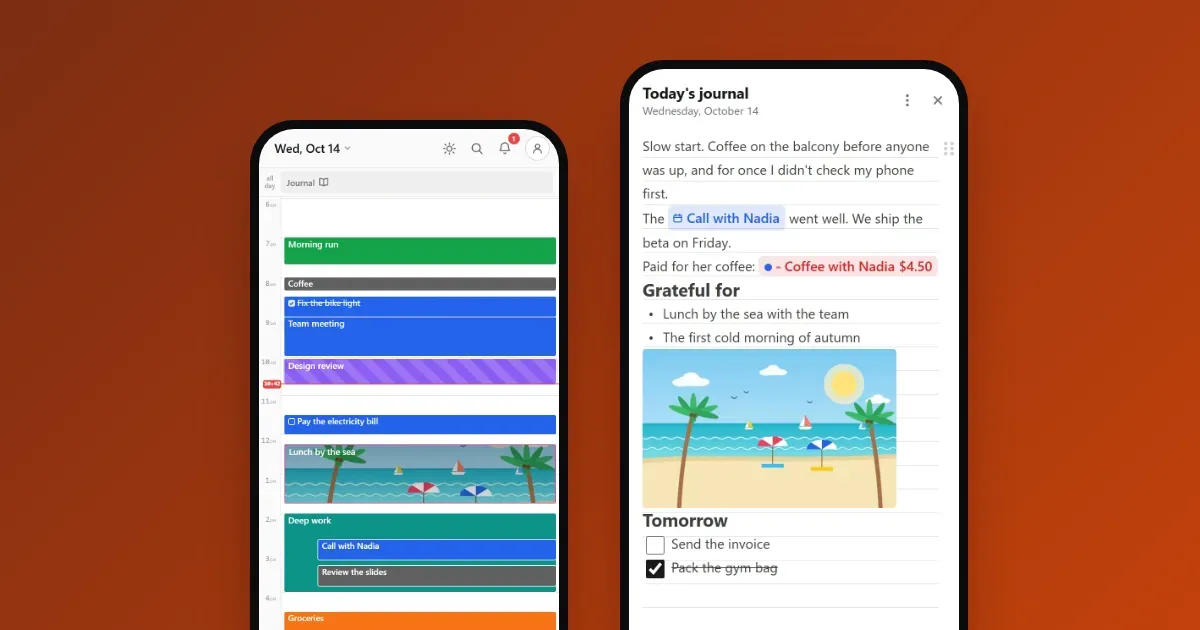
The journal is not one more app to remember. On the calendar, a day with an entry shows a Journal card at the top, in the all-day row. One tap opens that day’s page.
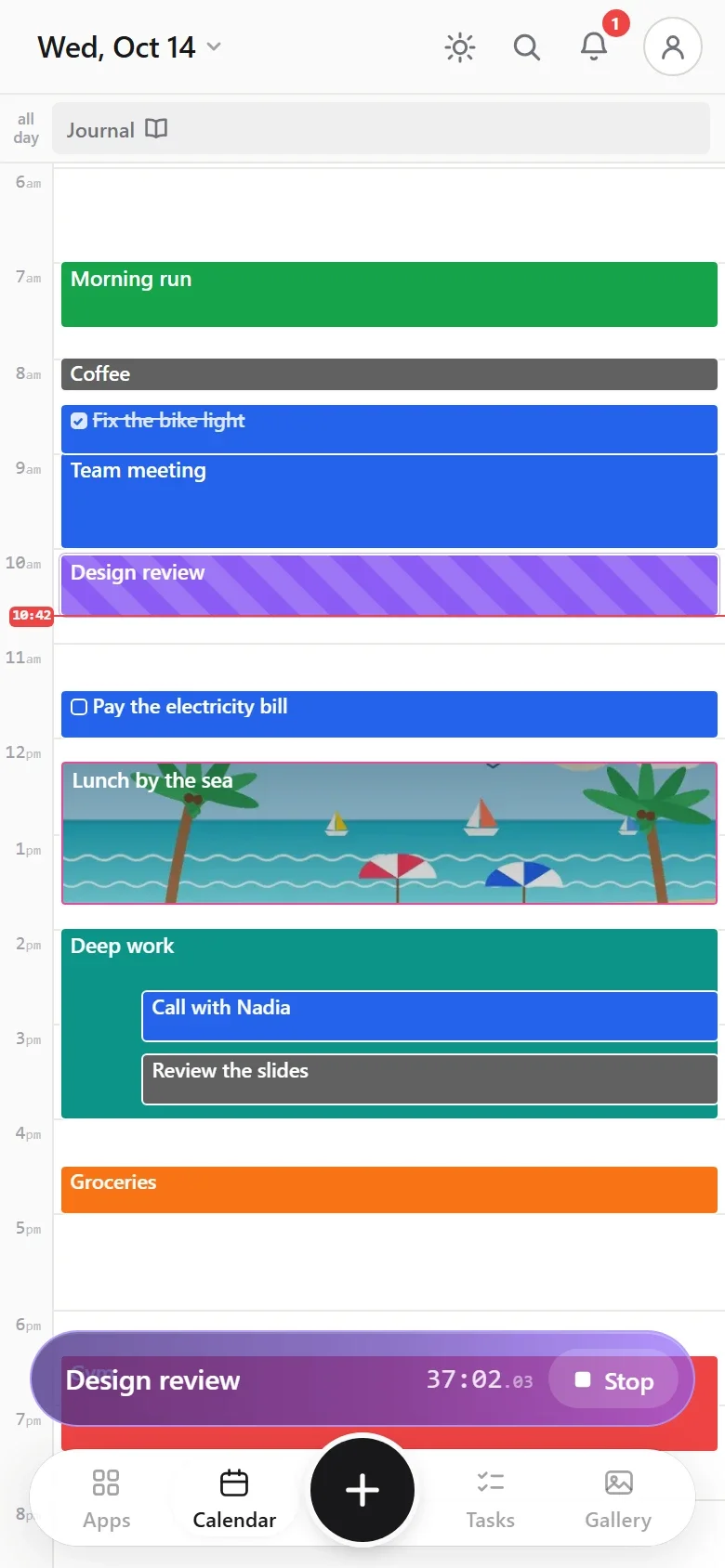
You choose when the card shows: on days with an entry (the default), on every day, or never. Change it from the page’s menu, under Show on calendar.
Everything the editor can do
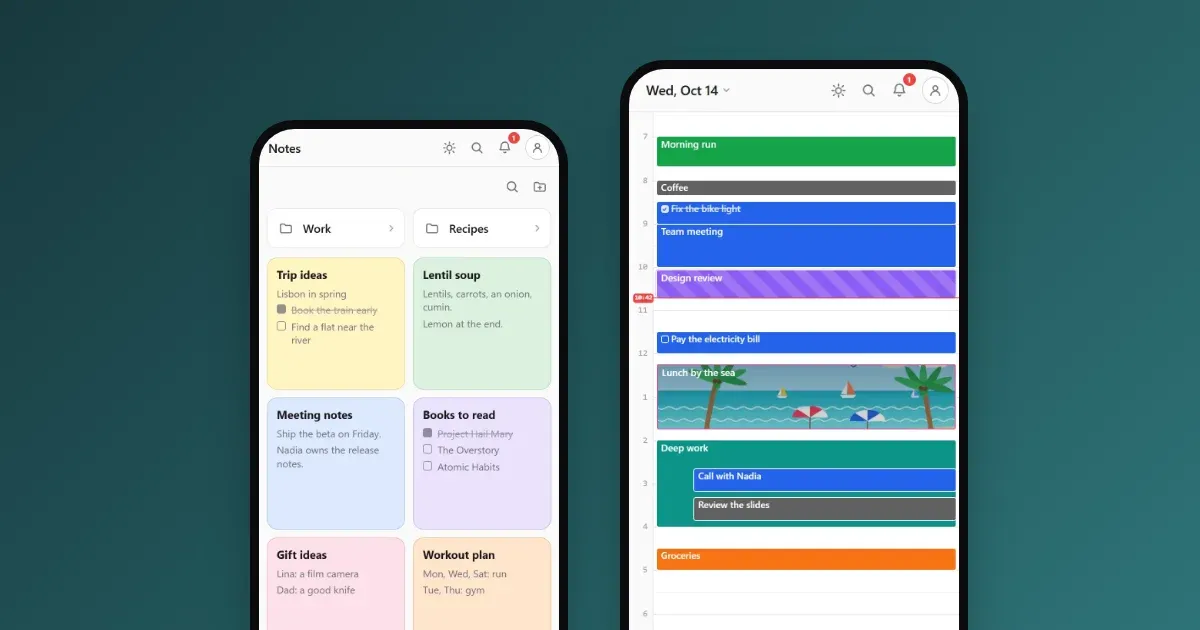
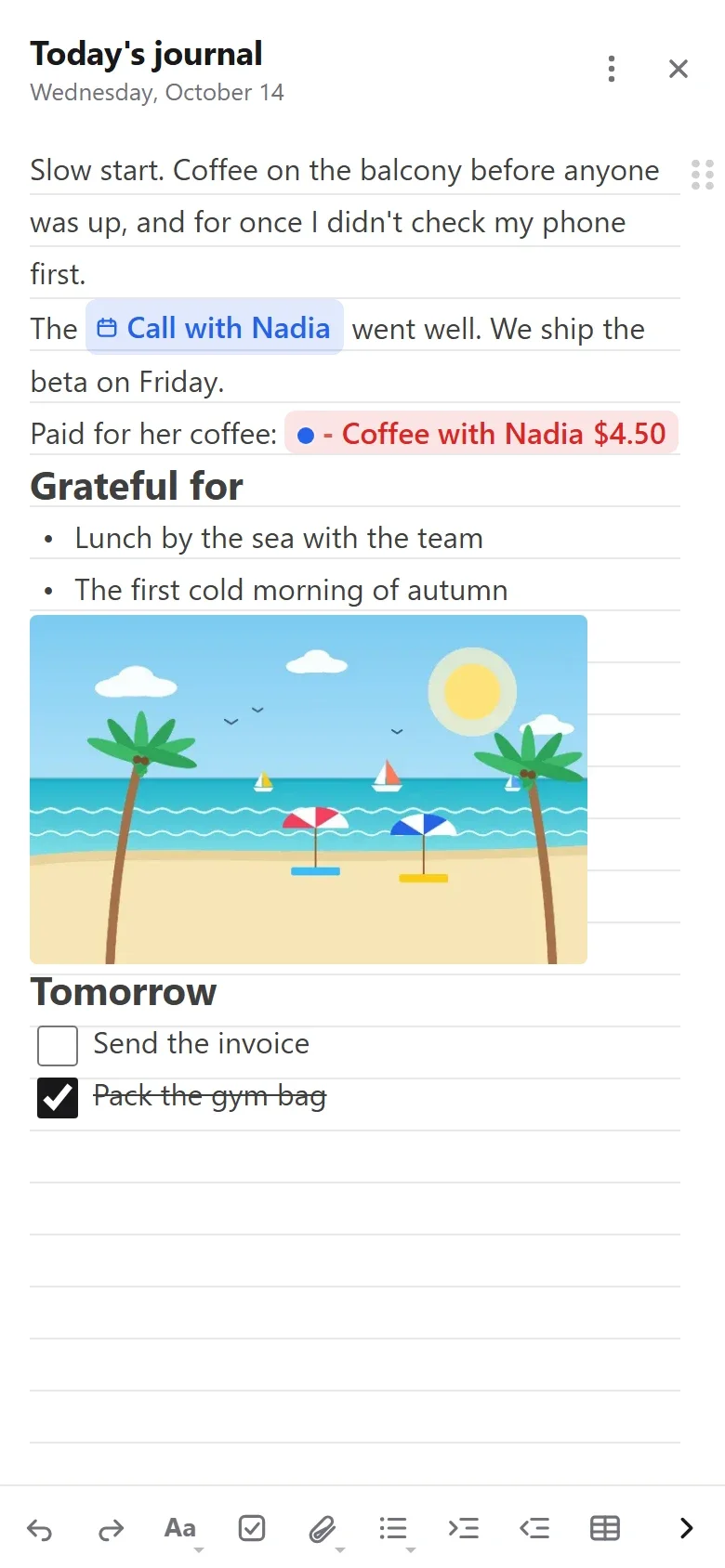
The journal uses the same editor as every event, task and note in Calengaroo, so a page holds much more than text:
- Headings, bullet and numbered lists, checklists, tables and quotes.
- Photos (the camera takes several in a row), videos and voice recordings.
- Money. Write “paid for her coffee”, add a money chip, and it counts in your budget, under “Journal”.
- Timestamps, for “back home at 6:40 PM”.
- References to your events, tasks and notes. Tap one to open it, close it, and you are back on the same line of your page.
Every photo you add also shows in the app’s gallery, one tap away from the page it belongs to.
It speaks Markdown
If you write in Markdown, you will feel at home. Type # for a heading, - for a list, [ ] for a checkbox or **bold** for bold, and the editor turns it into formatting as you type. Paste Markdown from somewhere else and it arrives formatted, not full of symbols.
/ on an empty line to see everything you can add: a table, a money chip, a timestamp, a reference and more.Search finds your journal, and everything around it
The search box looks through everything at once: events, tasks, notes, money and journal pages, in one list. Tap a journal result and the page opens right at the words you looked for.
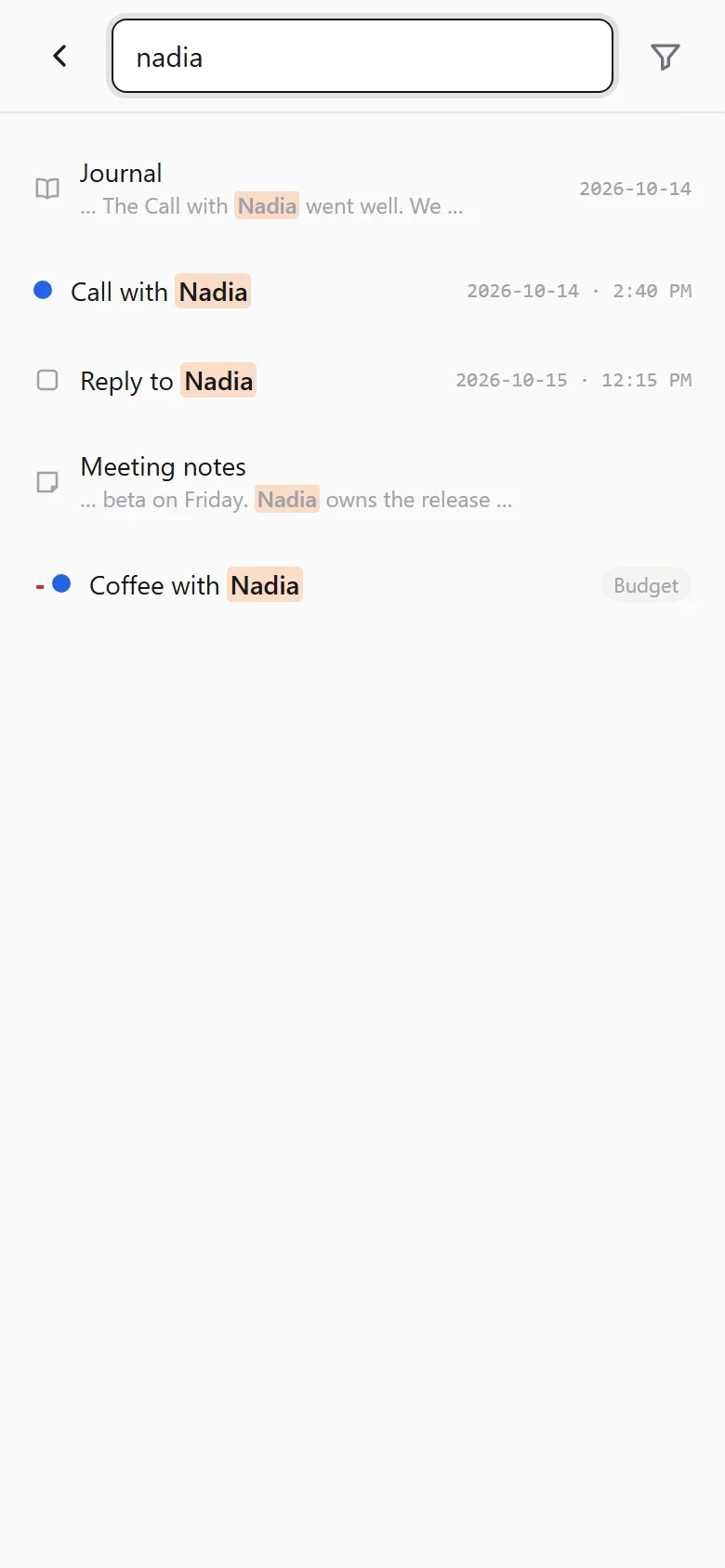
It is forgiving, too. It matches parts of words, so grat finds grateful and gratitude. And it shrugs off typos in titles: desgin still finds your Design review.
That is what keeps the journal light. You never file anything. Write freely, and find it later along with everything else from that day.
Make Calengaroo your journal app
Want Calengaroo to open straight on your journal, like a journaling app? It takes two taps:
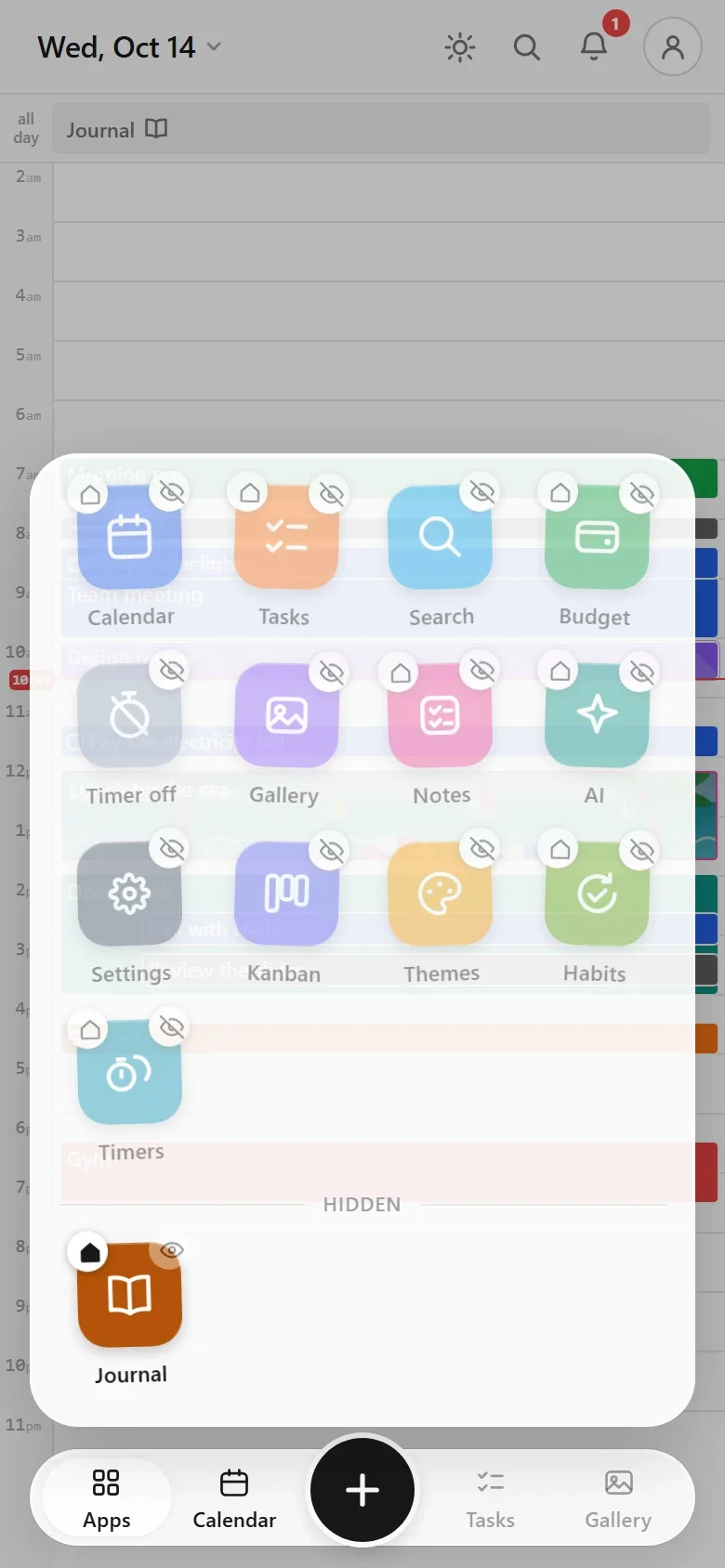
- Open the Apps drawer and long-press any app.
- Tap the small home button on the Journal.
Now every time you open Calengaroo, today’s page is right in front of you. Close it and your calendar is underneath.
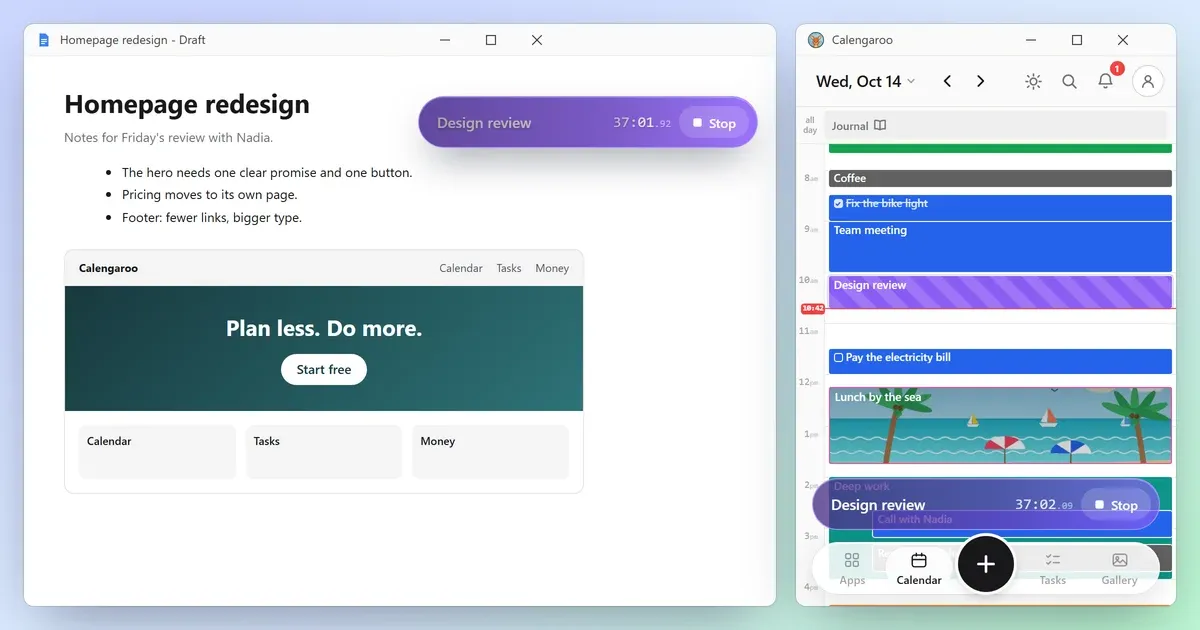
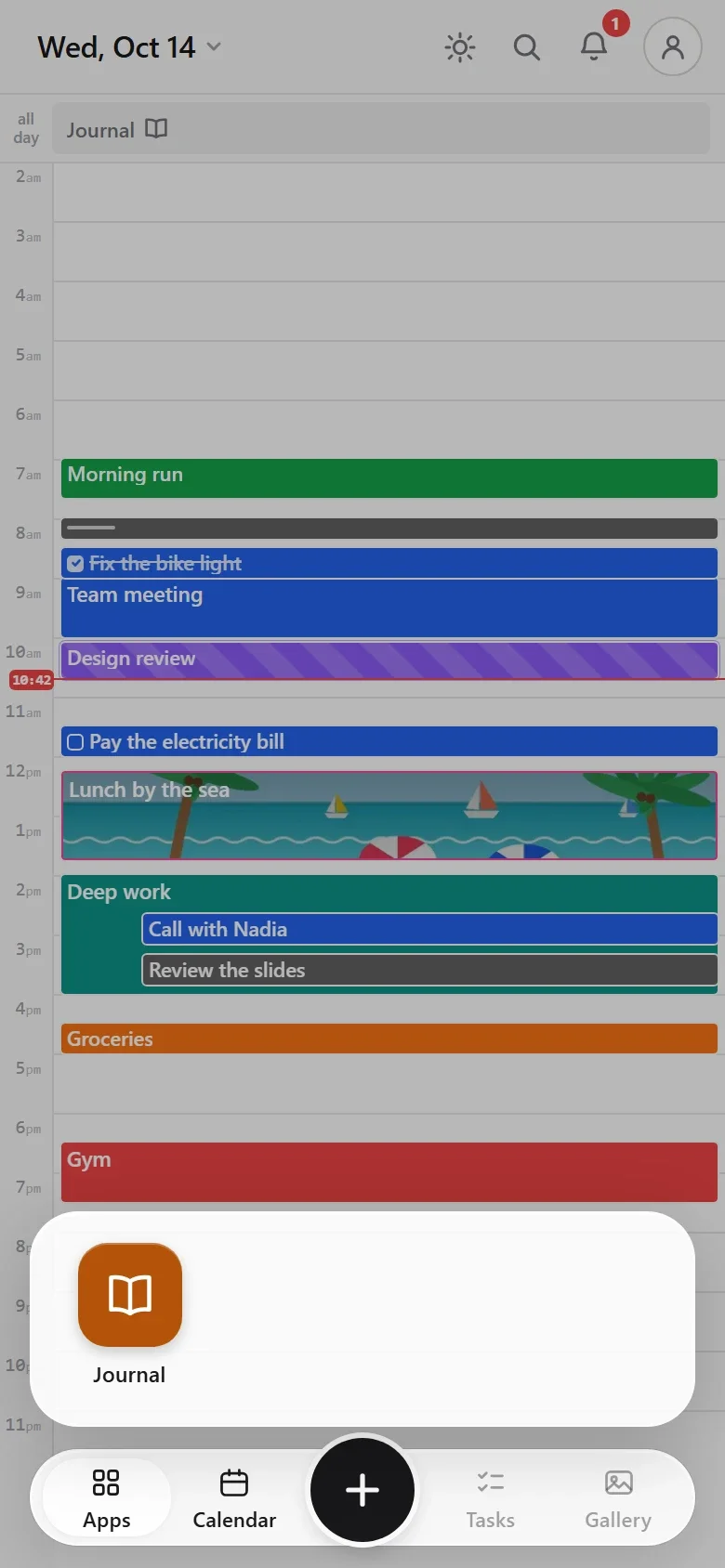
In the same place, the eye on each app hides it from the drawer. Hide everything but the Journal and the drawer holds your journal and nothing else. The timer bar can go too, with one tap on its app.
Make the page look the way you like: lined paper or plain, from Paper in the page’s menu. The app also has color themes and a dark mode, and more themes are coming for the journal and for the whole app.
Offline, private, and yours to take
- Works offline. After your first visit, Calengaroo works with no internet at all. Your journal lives on your device.
- No account needed. Open it and write.
- Download any page as a Markdown file (.md) or a calendar file (.ics). A page saved as .ics goes back onto its own day when you import it.
What’s coming
- Sync between your phone and your computer, free with an account.
- Sharing and collaboration: share a page, or write one together.
- More themes for the journal and the app.
Tell me what you want
I’m the developer, and I have ADHD too. Many of Calengaroo’s features started as a message from someone using it, and I read and answer every one. If something in the journal could be simpler, or something is missing, tell me, big or small. If you would rather talk, say so and we will set up a call.
Write to me at sparpouhy@gmail.com.
Common questions
Is Calengaroo a diary app?
It is a calendar first, with a daily journal built in. Set the journal as your first screen and it works like a diary app that also knows your plans.
Can I write more than one page a day?
No, on purpose: one page per day keeps it simple, and a page can be as long as you like. For everything else, there are Notes.
Can I write in Markdown?
Yes. Markdown shortcuts work as you type, Markdown you paste arrives formatted, and any page downloads as a .md file.
Does the journal work offline?
Yes. After your first visit, the journal and the rest of the app work with no connection.
Is it free?
Yes. Calengaroo is free, and you need no account to use it.