An ADHD-friendly habit tracker, right inside your calendar
Track habits in one tap, on the same calendar as your day. Six kinds of habits, streaks, rest days, a week view, a photo and a note for every day. Free and offline.
 6 min read

Here is how most habit trackers go. Day 1, you set up ten habits and feel great. Day 4, you forget to open the app. Day 9, you open it, see a wall of missed days, feel guilty and close it again.
The habits were fine. The app was just too far away.
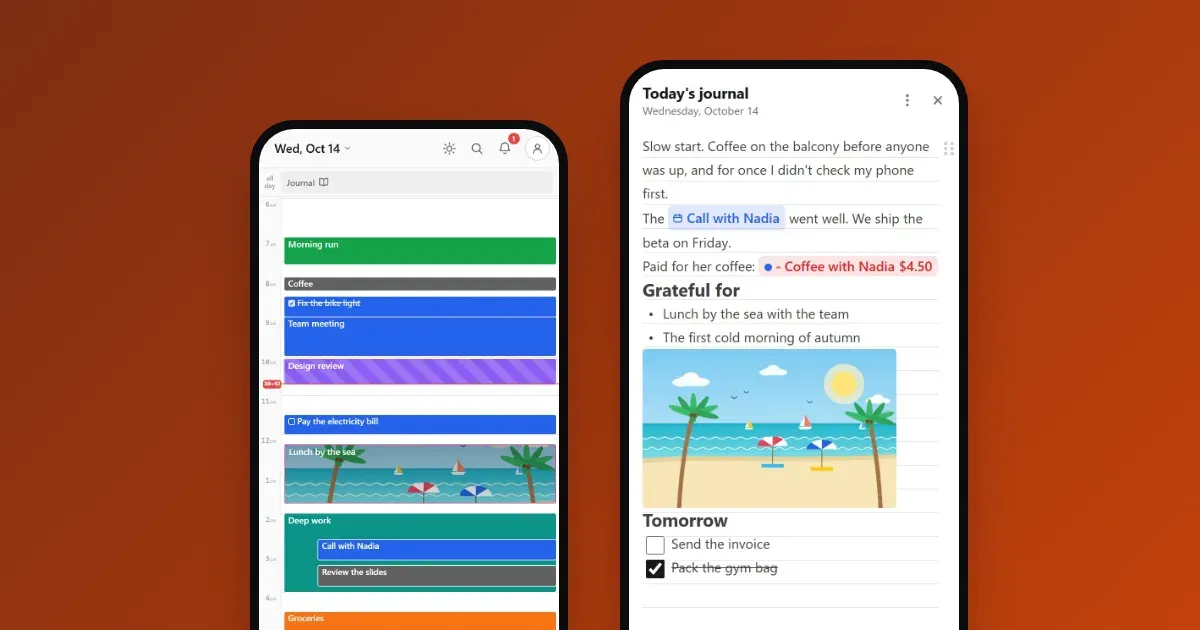
Calengaroo puts your habits on your calendar, where you already look every day. One tap marks one done. And when life happens, a rest day keeps your streak alive.
One tap, and it’s done
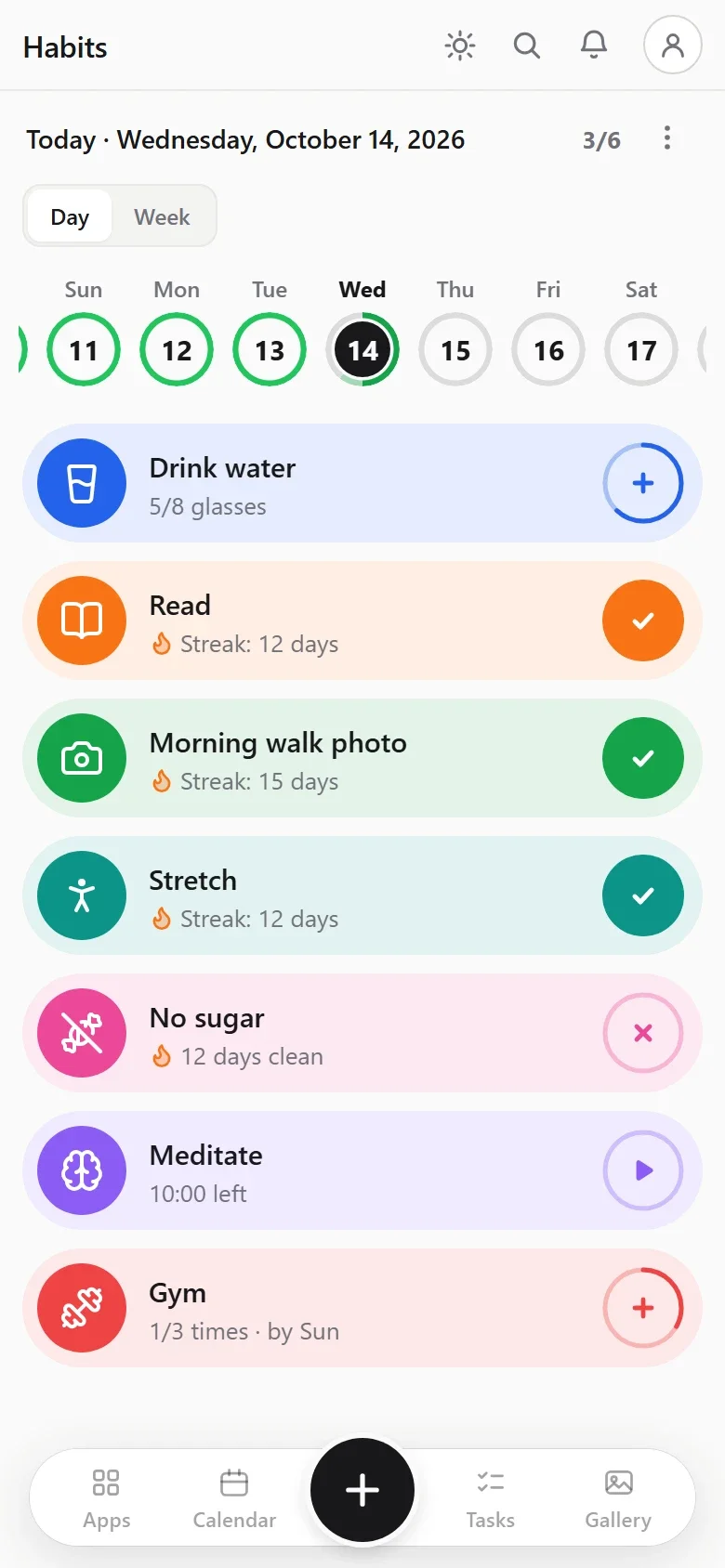
Every habit is a card with one round button. Tap it, and its ring fills. Reach your goal and you get a little burst of confetti. Keep going two days or more and a small flame shows up next to your streak.
That’s the whole thing. No forms, no Save button, no “are you sure?”. Tapped once too many? Hold the card and choose Minus one.
Six kinds of habits
Not every habit is a yes or a no. Calengaroo has six kinds, so each one gets tracked the way it really works:
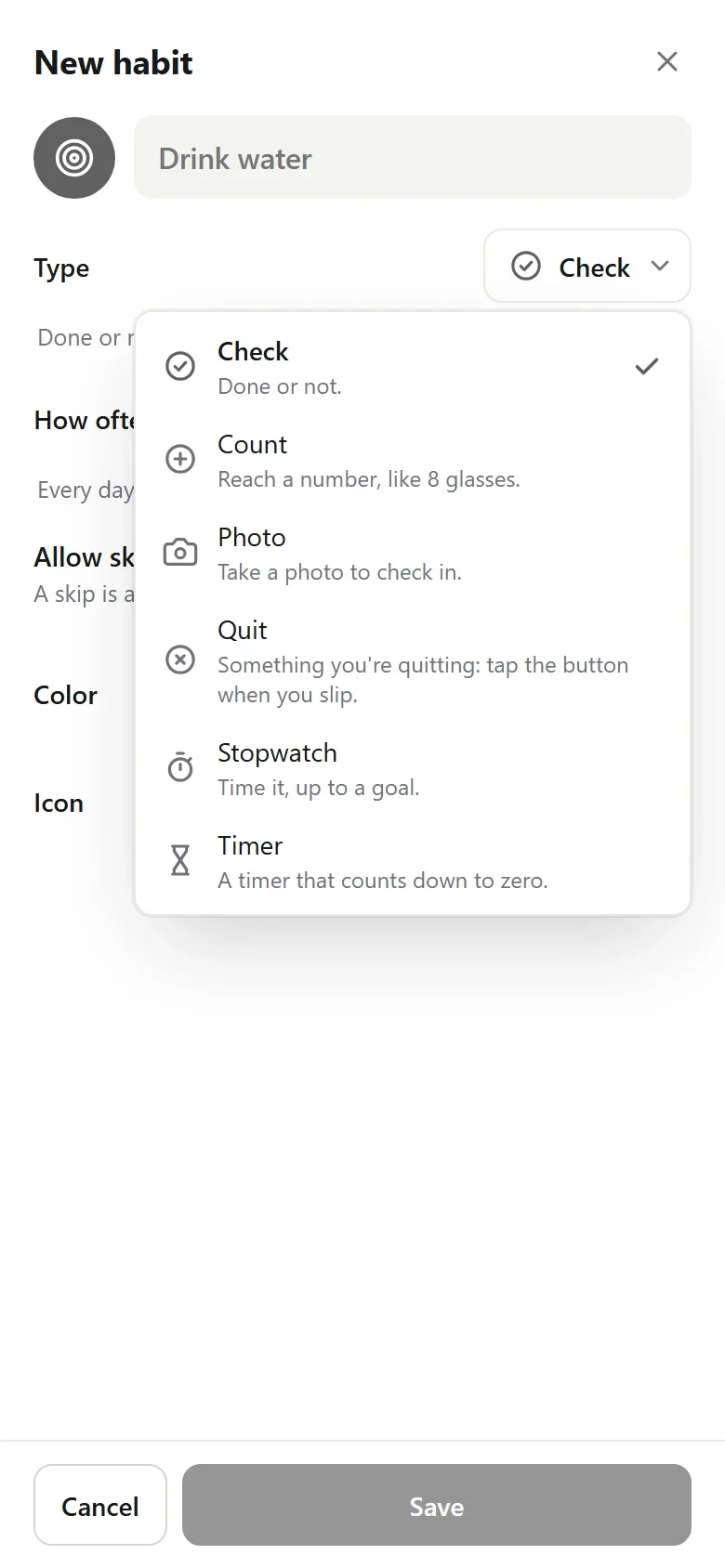
| You want to… | Pick | What the card shows |
|---|---|---|
| Floss, take your vitamins | Check | Done or not |
| Drink 8 glasses of water | Count | 5/8 glasses (or “3 of 8 left”, counting down) |
| Walk every morning, with proof | Photo | Each photo checks it in |
| Stop sugar, smoking or doomscrolling | Quit | 12 days clean, until you tap “I slipped” |
| Read for 20 minutes | Stopwatch | A timer that runs up to your goal |
| Meditate for 10 minutes | Timer | A countdown to zero |
The stopwatch and the timer belong to the habit, so they never touch your calendar, and several can run at once.
Not just every day
A habit doesn’t have to be daily. Pick How often:
- Daily, weekly, monthly or yearly.
- 3 times a week: a weekly count of 3. The card says “1/3 times, by Sun”.
- Every 3 days, or 3 days after the last time.
- Only on chosen days: Monday, Wednesday and Friday, the 1st of the month, or a few dates you pick.
Your habits live on your calendar
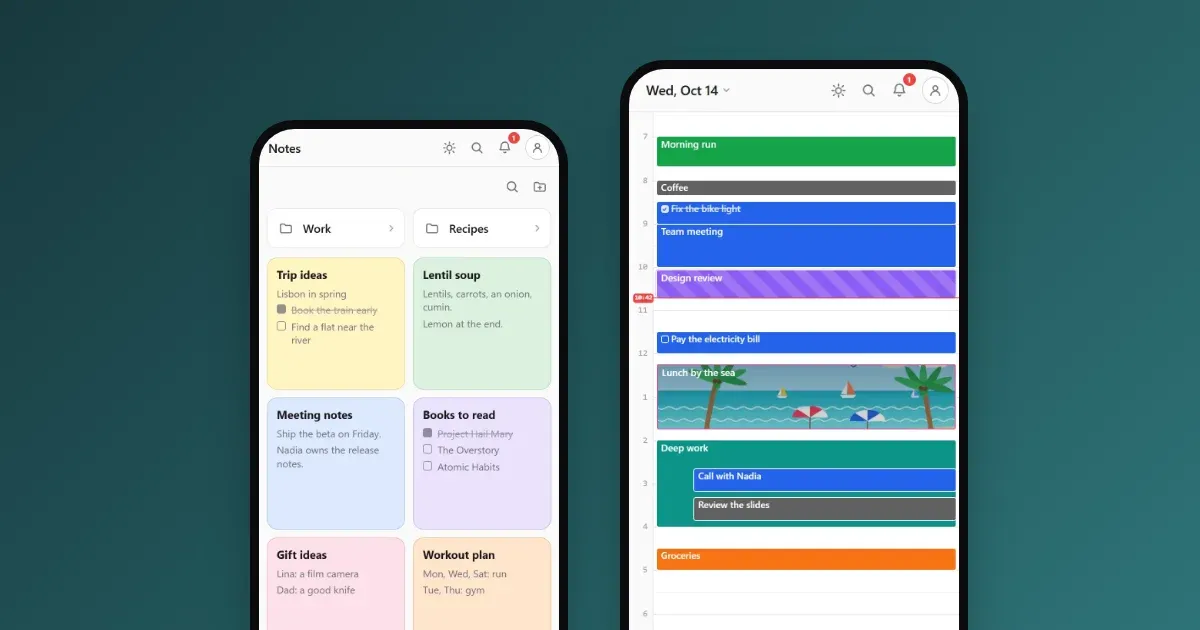
This is the part we love most. On every day of your calendar, a small Habits card sits at the top, in the all-day row. You see your habits as little icons and your score for the day, like 3/6.
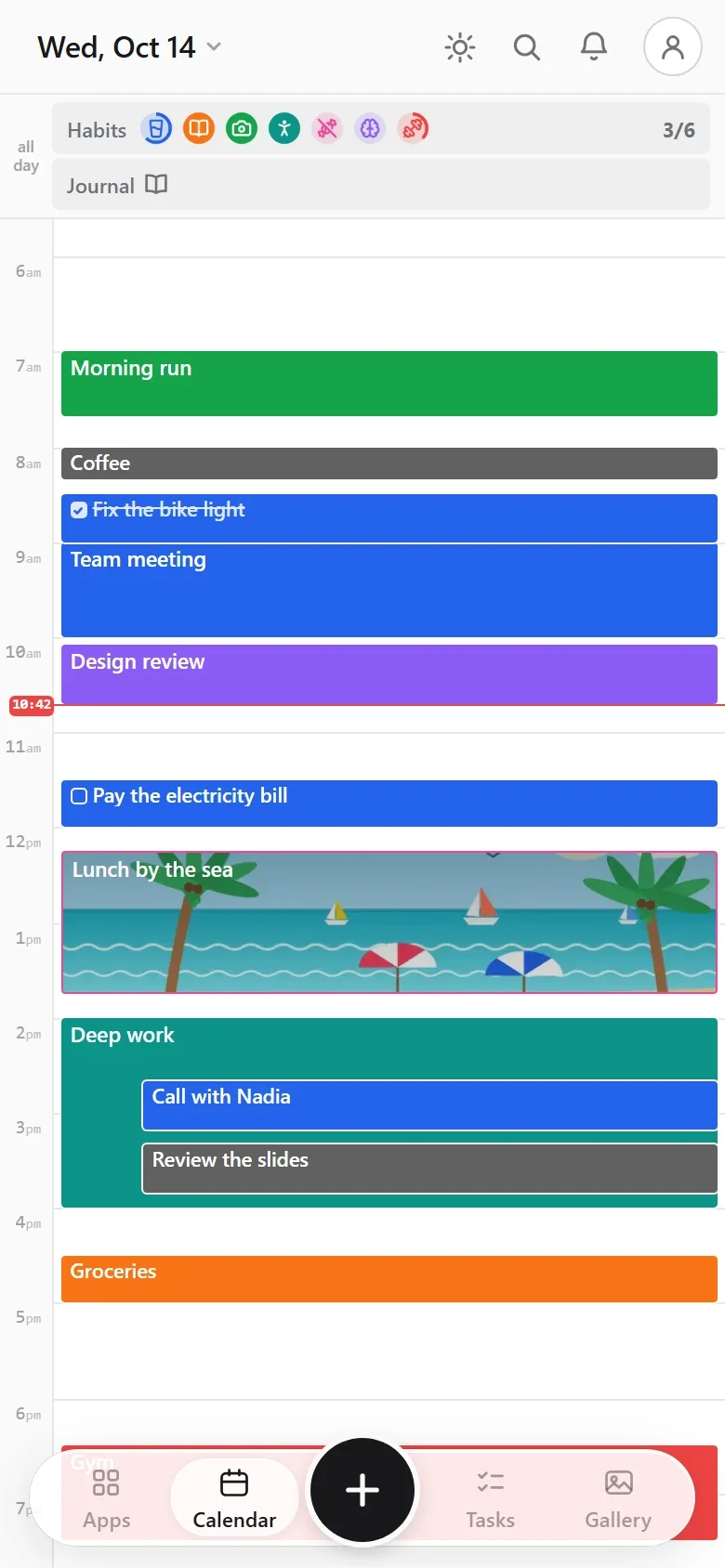
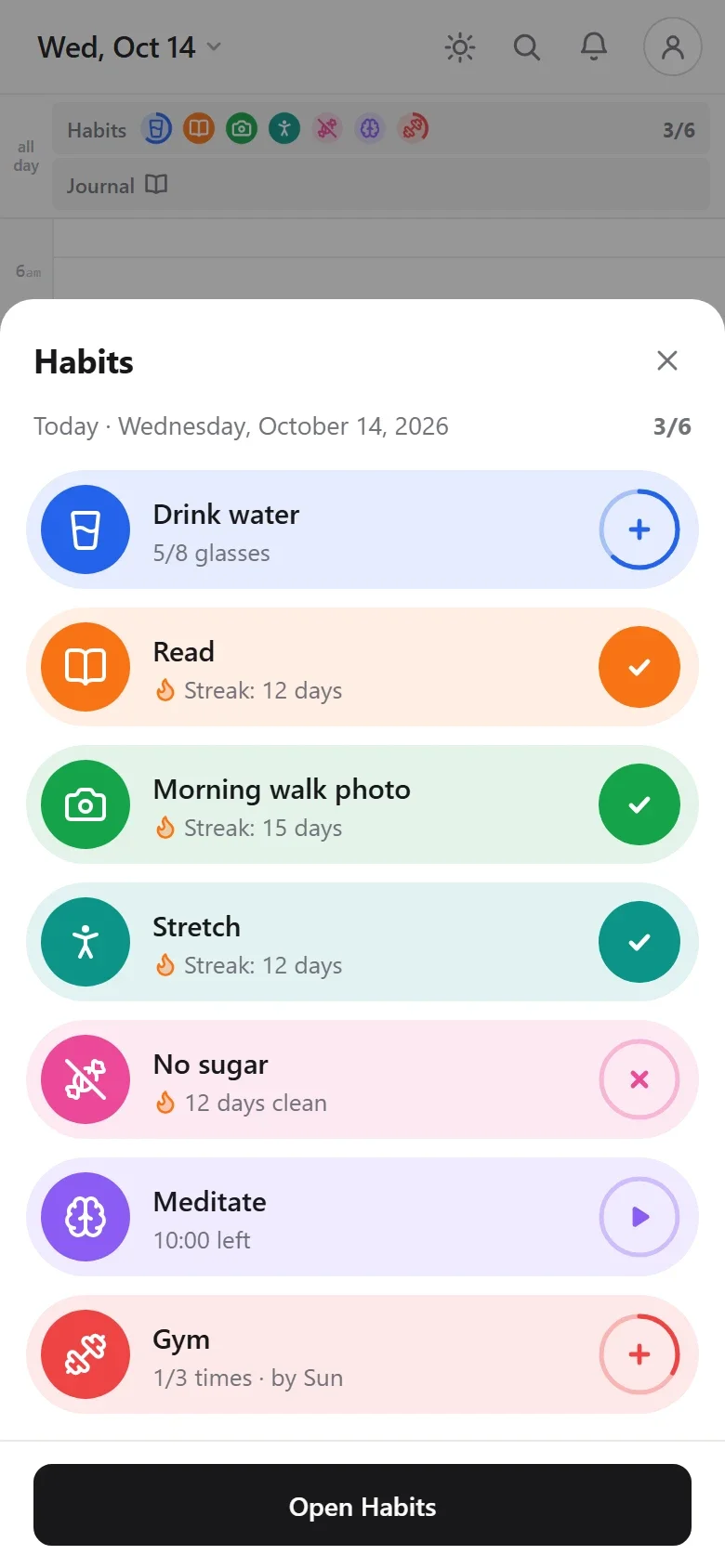
Tap the card and that day’s habits open right there, over your calendar. Tick them and go back to your day. No app to switch, no page to find.
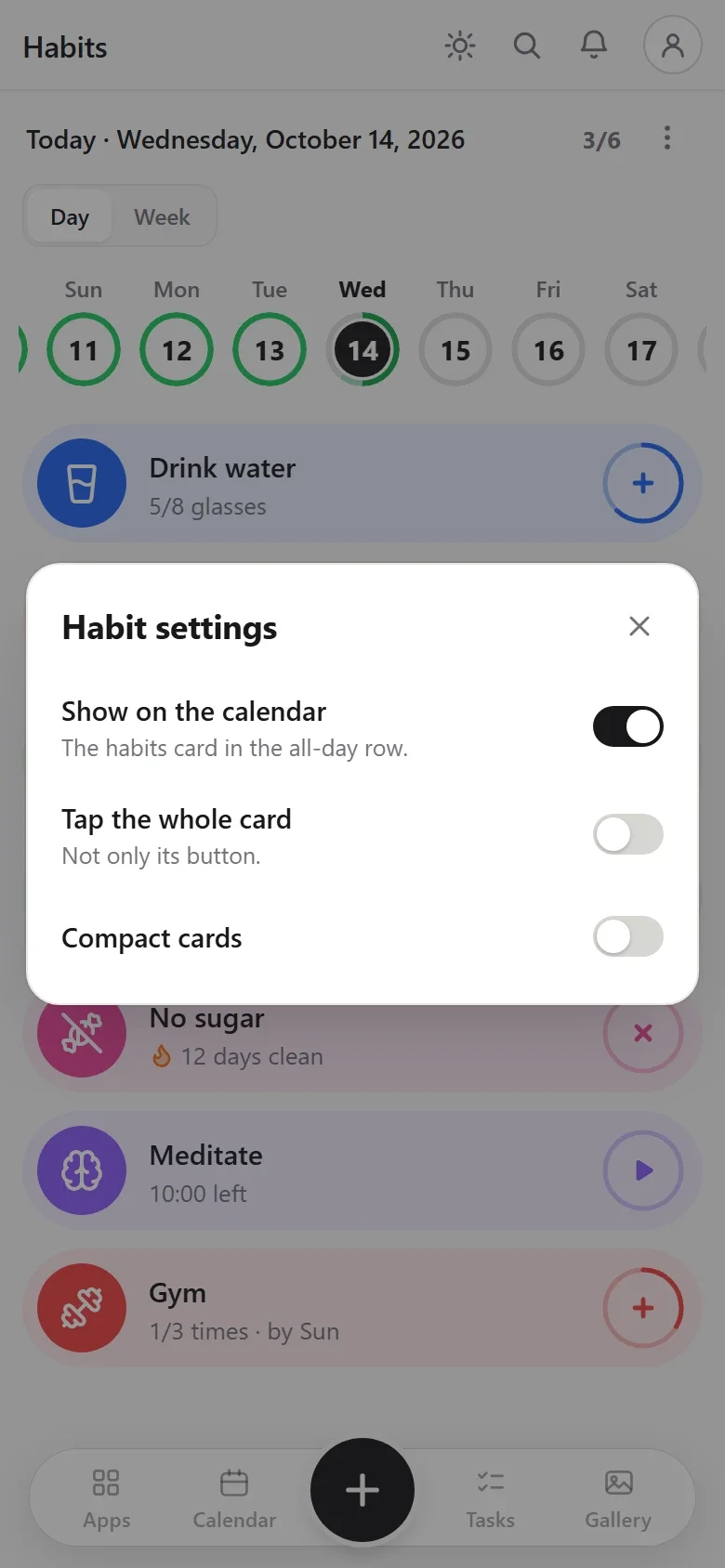
Too much on screen? Hold the card and choose Hide. Want it back? Turn on Show on the calendar in the Habits page’s menu. One switch, both ways.
See your week at a glance
Switch to Week and every habit becomes a row of squares, one per day:
- Full color: done.
- Lighter: started.
- Faint: not done yet.
- A snowflake: a rest day (skipped on purpose).
- Red: a slip, on a Quit habit.
- A photo: the picture you took that day.
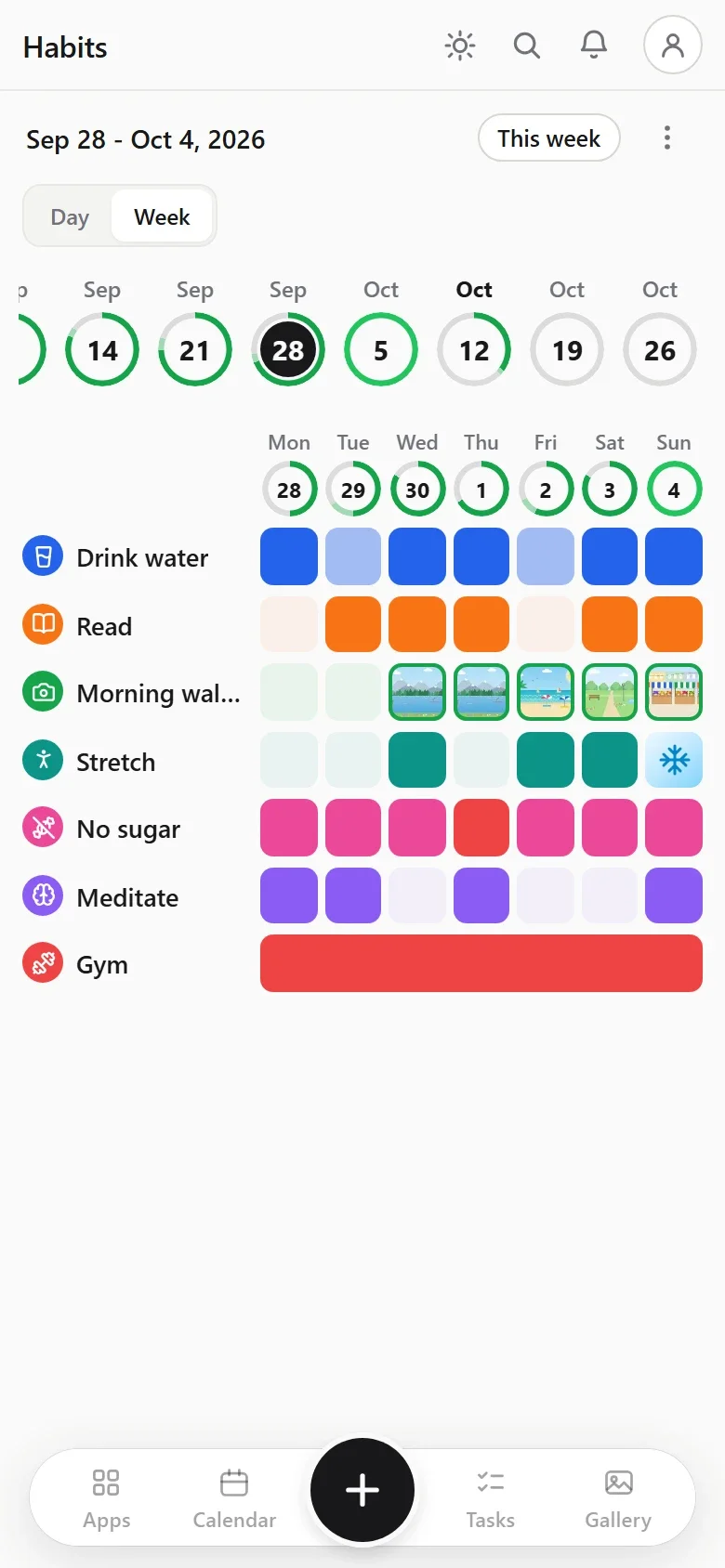
A habit that runs over a whole week, like the gym three times a week, shows as one long bar. Tap any square to act on that day, or hold it for more.
Streaks, with room to breathe
Tap a habit’s card and its history opens under it: the last 15 weeks in squares, your current streak and your best streak.
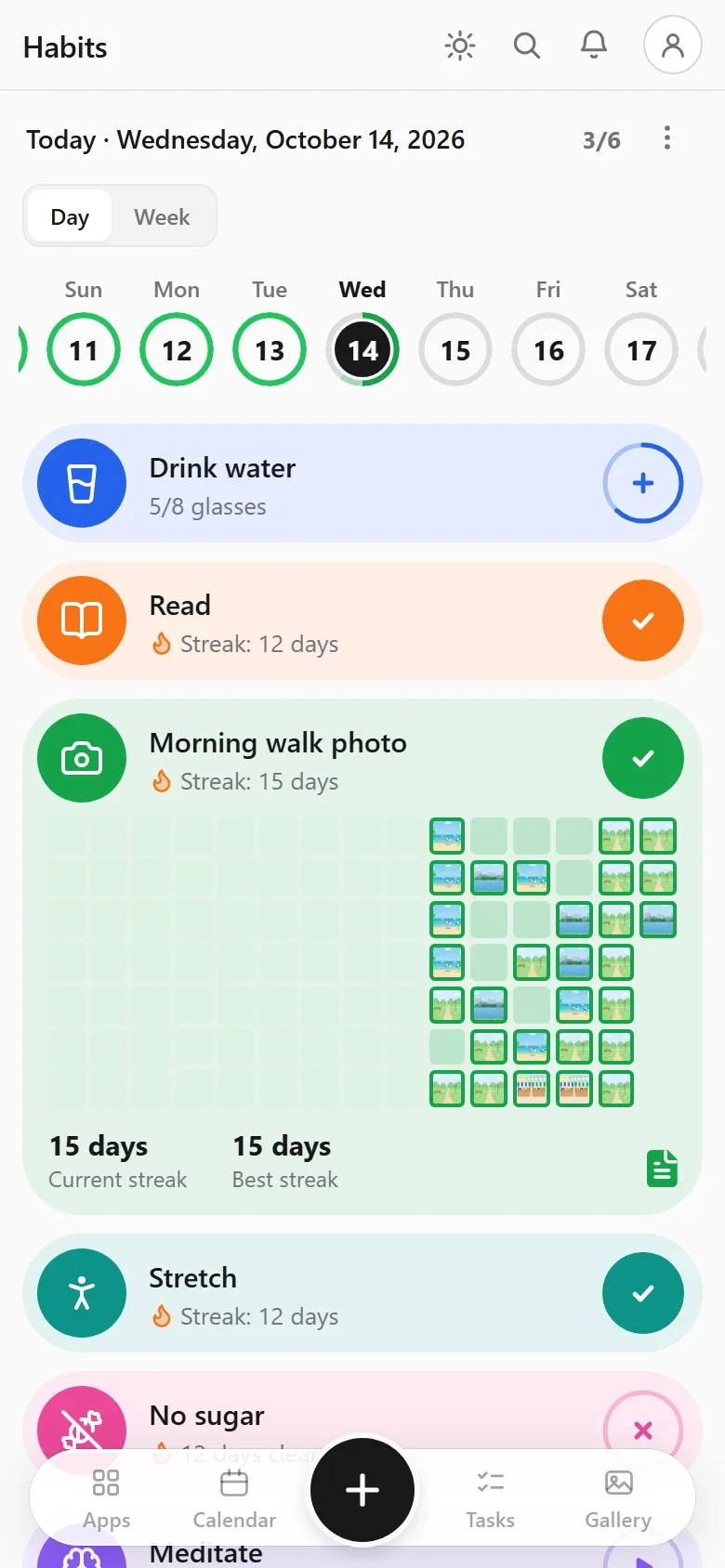
Life happens, and that’s fine. Hold a card and choose Skip this day. The card turns to ice, and your streak simply passes over it. Skipping is never a failure. If you’d rather not allow it for one habit, turn off Allow skipping for that habit.
A photo and a note for every day
Every habit has a note for each day, written with the same editor as the rest of the app.
- Take a picture: hold a card and choose Take a picture. The photo goes into that day’s note and shows in its square. With a Photo habit, the photo is the check-in.
- Write a note: hold a card and choose Note. How did it feel, what got in the way, what helped? Each tap you made is already there as a time stamp.
- Your habit photos also show in the app’s gallery.
Make Habits your home screen
If habits are the heart of your day, open Calengaroo straight on them:
- Open the Apps drawer and long-press any app.
- Tap the small home button on Habits.
Next time you open the app, your habits are the first thing you see. In the same place, the eye on each app hides the apps you don’t use.
Works offline, stays on your device
Habits work with no internet, like the rest of Calengaroo. They stay on the device you use for now, and they are part of your backups. Sync between your phone and your computer is coming.
It’s early, and you can shape it
Habits are brand new in Calengaroo, and much more is coming, starting with statistics to see how your habits go over the weeks and months.
I’m the developer, and I have ADHD too, so I build this for people like us. Many of Calengaroo’s features started as a message from someone using it. If something could be simpler, if a kind of habit is missing, or if you have an idea, big or small, write to me at sparpouhy@gmail.com. I read and answer every message, and if you’d rather talk, we can set up a call.
Common questions
Is this habit tracker good for ADHD?
It was built for it. Habits sit on the calendar you already open, one tap marks them done, rest days don’t break your streak, and nothing asks you to confirm.
Can I track something I want to stop?
Yes, with a Quit habit. The card counts your clean days, and you tap “I slipped” when it happens. You choose after how many slips the day fails.
Can I track “3 times a week”?
Yes. Make a Count of 3 that repeats weekly. The card tells you how many are left and by when.
Can I skip a day without losing my streak?
Yes. A skipped day is a rest day: your streak passes over it.
Is it free?
Yes. Calengaroo is free, works offline and needs no account.